LuminStyle COB LED Strip – 6500K Daylight Bias Light for Home Office Monitor and Reduced Eye Strain
LuminStyle COB LED Strip – 6500K Daylight Bias Light for Home Office Monitor and Reduced Eye Strain
Couldn't load pickup availability
Why you'll love it
- True plug-and-play simplicity with no switch, no dimmer, and no app to figure out
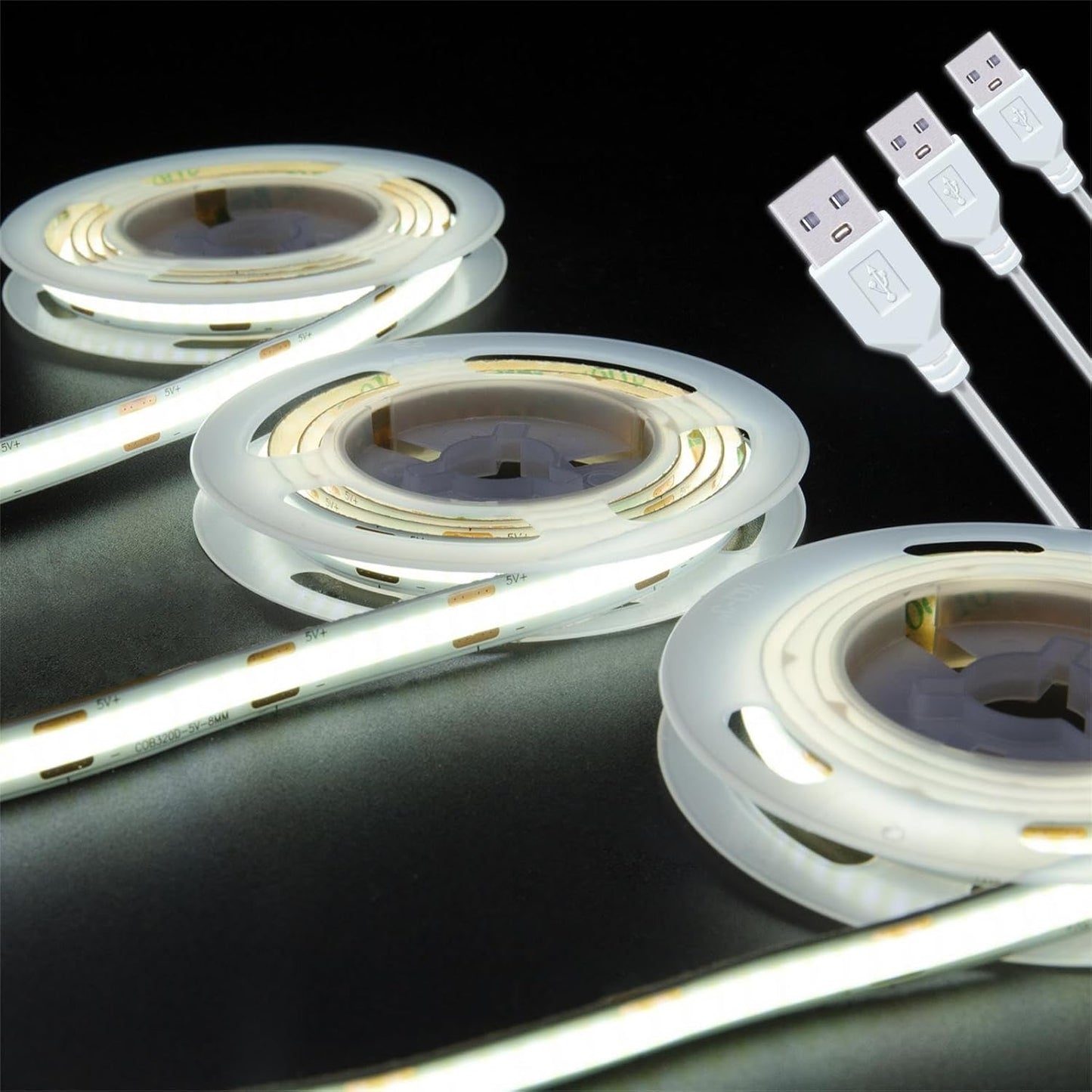
- COB chip technology produces uniform dotless light without visible hotspots, unlike traditional SMD strips
- 5V USB power means safe low-voltage operation and portability with any USB charger or power bank
- High CRI 90 renders true colors for displays, artwork, and product showcases
- Multiple color temperatures (3000K warm, 4000K neutral, 6500K daylight) and decorative colors (RGB, ice blue, pink, purple, gold) cover every room mood
- Slim 8mm flexible strip with adhesive backing installs in seconds on curved or tight surfaces
- draws enough power to keep a power bank active
- strips can be shortened easily at marked cut points without issues
- adhesive is strong 3M quality and holds well over time
- long USB lead wire to the LEDs
- pure white color (not off-white like other strips)
- consistent brightness along the entire length (COB design)
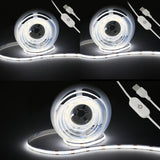
- inline power switch convenient for on/off control
- plug-and-play with any USB adapter
- can be soldered and spliced for custom projects
- works well when dimmed down to 3V via AA batteries for low-brightness applications
Perfect for
- TV bias/backlight to reduce eye strain and add ambient glow
- Illuminating 3D printed lithophane night lamps with uniform 6500K white
- Lighting glass display cabinets to showcase collectibles, jewelry, or merchandise
- Accent lighting under kitchen cabinets, shelves, or stair edges
- DIY holiday and party decor (RGB, ice blue, pink, purple, golden yellow variants)
- under-bed dorm lighting
- acrylic art frame backlighting
- cornhole board backlighting
- kitchen pantry shelf lighting via aluminum strip mount
- reloading press task lighting with custom soldered switch
- model/diorama illumination
- garage tool area lighting on door runners
- booth display lighting
- 3D printer enclosure/riser lighting
Frequently Asked Questions
Will the 6500K bias light actually reduce eye strain during long screen sessions?
Yes. The 6500K daylight white mounted behind a monitor raises ambient light around the screen, which reduces the contrast between the display and the surrounding room. This is the same principle used in commercial bias lighting and is recommended for back-office, gaming, and creative work.
Does it work as a true task light for detailed work like soldering or reloading?
Yes. The 6500K daylight variant provides bright, even, shadow-free illumination for reloading presses, soldering stations, and detail work. The CRI 90 rating also means accurate color when sorting or inspecting parts.
Can I run it from my monitor's USB port so it powers on with my screen?
Yes. The strip draws about 8W, which is within the output range of most monitor USB-A ports. Many buyers run the strip from the monitor so it turns on and off automatically with the display.
Will the inline dimmer help me tune the brightness for focus work?
Yes. Pressing the inline power button cycles through brightness levels, so you can dim the strip down to a background glow for late-night focus or raise it to full output for detail work.
Is it a good fit for a home office video call backdrop?
Yes. Mounted behind the monitor, the 6500K strip provides even, balanced backlight that flatters skin tones on camera and reduces the silhouette effect that overhead lights cause on Zoom and Teams calls.
Does the CRI 90 rating matter for studio or product photography work?
Yes. CRI 90 means the strip renders colors close to natural daylight, which is important when shooting small products, jewelry, or artwork for e-commerce listings and social content.
How does this compare to a desk lamp for productivity setups?
A desk lamp focuses light on a small pool, while a COB strip provides uniform ambient light across the entire desk, monitor, and surrounding wall. Many buyers layer both for full coverage and bias lighting.
Can I use it as a 3D printer enclosure light to monitor prints?
Yes. Mount the strip inside the printer enclosure, run the USB lead to a 5V source, and the 6500K daylight white will illuminate the print bed for accurate visual inspection throughout long print jobs.
Will the strip stay on long enough for an 8-hour work day?
Yes. The rated lifespan is 30,000 to 50,000 hours, which is more than 10 years of typical 8-hour work days. The silicone coating protects the COB chips from dust and heat.
Is the 4000K neutral white better for office focus than warm white?
Yes. 4000K is the most popular choice for home offices and study desks because it is bright and clear without the cool-blue cast of 6500K. It supports focus while still feeling comfortable for full work days.
Does the strip flicker or buzz under a camera or during video calls?
No. The COB strip is designed for solid, flicker-free output at 5V DC. This is important for video calls, streaming, and high-shutter-speed photography where flicker becomes visible.
Can I mount it under a standing desk or keyboard tray for shadow-free typing?
Yes. The slim 8mm strip and 3M adhesive make it ideal for under-desk mounts, keyboard trays, and monitor arms. The 5V USB lead plugs into the underside of most standing desks with built-in USB ports.
Is it bright enough to be the only light in a small home office?
For a small office nook, one or two strips of 800 lumens each provide comfortable ambient lighting. For larger rooms, layer with an overhead fixture or add additional strips along the shelving.
Will the strip help me stay focused during late-night study sessions?
Yes. A consistent ambient light source reduces eye fatigue compared to working in a dark room with only a monitor. The dimmer lets you step the brightness down for late-night study without overstimulating the room.
Can I use it as a podcast or streaming studio accent light?
Yes. The CRI 90 strip is widely used by streamers and podcasters as a low-cost bias and accent light. The dotless output looks clean on camera, and the inline switch makes it easy to control on the fly.
Does the strip work with a USB hub or docking station?
Yes. As long as the USB-A port supplies 5V and at least 2A, the strip will run from a hub, dock, or KVM switch. This is a popular setup for laptop-based home offices.
How do I install the COB LED strip on a clean surface?
Wipe the mounting surface with isopropyl alcohol and let it dry fully. Peel back the 3M adhesive cover, press the strip firmly along the surface for 10 to 15 seconds per section, then plug the USB lead into a 5V 2A power source. The adhesive reaches full bond strength after 24 hours.
How do I cut the strip to a custom length?
Cut only at the marked copper cut points using sharp scissors or flush cutters. The strip can then be re-soldered with a USB lead or soldered to another segment. Cutting at any other point will damage that section of the strip.
How do I dim the strip and use the inline power switch?
Press the inline power button once to turn the strip on at full brightness. Press it again to step down through the brightness levels, and press it once more to turn the strip off. The next power-on will return to full brightness.
Does this strip work with any USB charger or power bank?
Yes. Any 5V USB-A source that supplies at least 2A (10W) will run the strip at full brightness. This includes phone wall adapters, monitor USB ports, laptop docks, and standard 5V power banks.
Can I run it from AA batteries for low-brightness use?
Yes. Two AA batteries in series supply about 3V, which is enough to power the strip at a low, dimmed brightness level. This is popular for dioramas, scale models, and portable craft lighting.
What is in the box when I order the strip?
Each order includes one roll of COB LED strip with a pre-attached USB lead and inline power switch. A USB wall adapter is not included, so you will need a 5V 2A adapter or power bank to power the strip.
Is the strip safe to leave plugged in 24/7?
The 5V low-voltage strip runs cool and is rated for 30,000 to 50,000 hours of continuous use, so it is safe for always-on operation. For long-term energy savings, use the inline switch to power it off when not needed.
What should I do if a section of the strip stops working?
Check the USB connection first, then inspect the cable for damage. If only a section is dark, the strip may have been cut outside the marked cut points or damaged during installation. Replacement sections can be soldered to the original lead.
What is the difference between COB and SMD LED strips?
COB (Chip-on-Board) strips mount many tiny LED chips directly onto the PCB and coat them in a continuous phosphor layer, which produces dotless, uniform light. SMD strips use larger, spaced-out diodes that produce visible hotspots and a speckled look on shiny surfaces.